
Can I use U100 with a Raspberry Pi or embedded system?
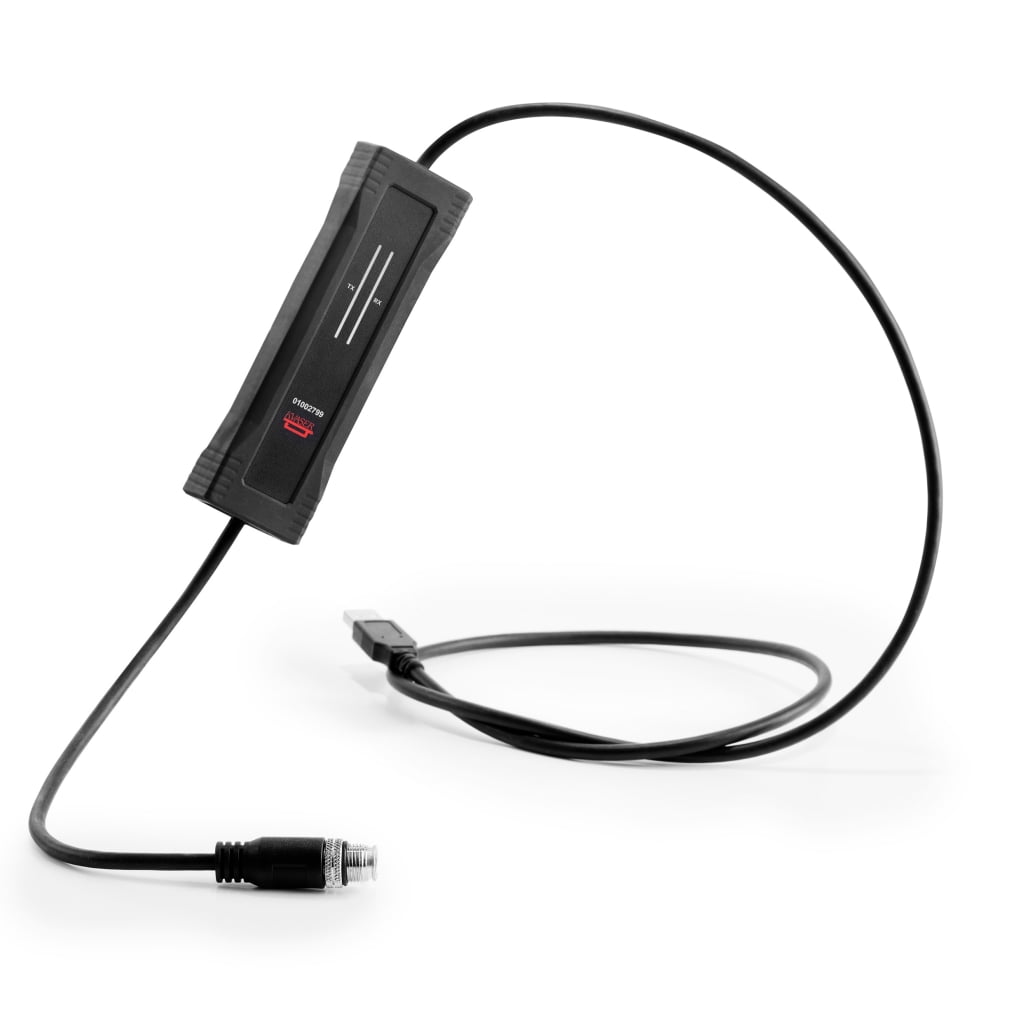
Yes, you can use the Kvaser U100 product line with a Raspberry Pi or other embedded systems. These CAN bus interfaces are specifically designed to work with various computing platforms, including embedded systems like the Raspberry Pi. The U100 family offers USB connectivity, making integration straightforward with proper drivers and configuration. Their rugged design, electromagnetic protection, and varied connector options make them suitable for industrial automation applications where embedded systems are commonly deployed. The different variants (U100, U100P, U100-C, U100-X1) provide flexibility for different environmental and performance requirements.
Understanding the Kvaser U100 product line for embedded applications
The U100 product line represents a family of robust CAN bus interfaces designed for industrial and embedded applications. These devices serve as the critical bridge between CAN networks and computing systems, including platforms like Raspberry Pi.
At their core, U100 devices support both CAN FD and classical CAN protocols, making them versatile for modern and legacy systems. Their compact form factor is particularly advantageous for space-constrained embedded applications. The entire line features industrial-grade construction with operating temperatures ranging from -40°C to 85°C, ensuring reliability in harsh environments.
What makes the U100 family particularly suitable for Raspberry Pi integration is their USB connectivity and low power consumption, aligning perfectly with embedded systems’ capabilities. The devices are powered directly through the USB connection, simplifying the power architecture when working with embedded platforms.
Their driver support includes Linux compatibility, which is essential for Raspberry Pi and similar systems. This makes them ready for quick deployment in various embedded projects spanning industrial automation, vehicle diagnostics, and IoT applications. For those interested in exploring more options, we recommend checking out our complete range of Kvaser products.

What are the technical requirements for connecting U100 to a Raspberry Pi?
Connecting a U100 device to a Raspberry Pi requires attention to several technical requirements to ensure proper functionality. The most fundamental requirement is compatible software drivers, which are available for Linux-based operating systems running on Raspberry Pi.
Power requirements are modest and align well with Raspberry Pi capabilities. The U100 devices draw power directly from the USB port, typically consuming less than 500mA, which is within the power delivery capability of most Raspberry Pi models. However, when using multiple USB devices, consider using a powered USB hub to prevent power-related issues.
For physical connections, you’ll need:
- A functioning Raspberry Pi with Raspbian or compatible Linux distribution
- Available USB port (USB 2.0 compatible)
- CAN bus cabling with appropriate termination
- For U100-C and U100-X1, the matching connector types for your CAN network
Software configuration requires installing the Kvaser Linux driver package, which provides the necessary kernel modules and libraries. This typically involves downloading the driver package, compiling it for your specific kernel version, and loading the modules. The Raspberry Pi should recognize the U100 device as a USB interface, after which you can configure it using the provided API or through standard Linux socketCAN interfaces.
It’s worth noting that the Raspberry Pi’s USB ports operate at USB 2.0 speeds, which is sufficient for CAN bus applications as the data rates are well within this bandwidth capacity.
How do different U100 variants perform with embedded systems?
The U100 family offers several variants, each optimized for different embedded system applications and environments. Their performance characteristics when paired with Raspberry Pi or similar systems depend on their specific features.
The standard U100 model provides excellent general-purpose performance with a DB9 connector. When used with Raspberry Pi, it offers reliable CAN communication at full CAN FD speeds (up to 8 Mbps). Its industrial temperature range makes it suitable for embedded applications in controlled environments like test labs or indoor industrial settings.
The U100P variant adds enhanced protection features, making it ideal for embedded systems deployed in electrically noisy environments. When integrated with a Raspberry Pi, it provides the same communication performance as the standard U100 but with additional safeguards against electromagnetic interference – crucial for automotive or factory floor applications.
For specialized connector requirements, the U100-C offers an OBD-II connector option, perfect for vehicle diagnostic applications using Raspberry Pi as the processing unit. Its performance matches the standard U100 but simplifies integration with automotive systems.
The U100-X1 provides an M12 connector, designed for extreme environments where moisture and vibration are concerns. When paired with a properly protected Raspberry Pi, this combination can operate reliably in harsh outdoor or industrial settings where standard consumer-grade equipment would fail.
All variants support the full CAN FD specification, making them future-proof for high-speed CAN applications on embedded platforms. The driver architecture allows efficient CPU utilization on Raspberry Pi, ensuring that processing resources remain available for the application itself rather than being consumed by communications overhead.
What are the best practices for U100 and Raspberry Pi integration?
Successful integration of U100 devices with Raspberry Pi systems requires following several best practices to ensure optimal performance and reliability. Proper grounding is perhaps the most critical factor – ensure that both the Raspberry Pi and the CAN network share a common ground reference to prevent communication errors and potential damage.
When deploying in industrial environments:
- Use a protective case for the Raspberry Pi to shield it from dust and physical damage
- Consider power conditioning to protect against voltage spikes and brownouts
- For outdoor installations, ensure waterproof enclosures for both the Pi and connectors
- Implement proper cable routing and shielding to minimize electromagnetic interference
On the software side, keep the Linux kernel and Kvaser drivers updated to benefit from the latest improvements and bug fixes. Implement a proper initialization sequence in your application to handle hot-plugging scenarios and potential communication errors gracefully.
For mission-critical applications, implement a watchdog mechanism to restart the system if communication hangs. Additionally, logging CAN traffic can be invaluable for troubleshooting but can impact performance on resource-constrained Pi models – consider implementing selective logging or offloading logs to external storage.
When working with multiple CAN channels, be mindful of the USB bandwidth limitations. While the U100 is efficient, multiple high-speed CAN FD channels operating simultaneously may approach the limits of USB 2.0 bandwidth available on Raspberry Pi.
Finally, run thorough stress tests under various environmental conditions before deploying to production. You might find valuable insights from a Case study showcasing similar implementations in real-world scenarios.
Key takeaways for successful U100 and embedded system implementation
Implementing Kvaser U100 products with Raspberry Pi or other embedded systems requires attention to both hardware and software considerations. The selection of the appropriate U100 variant should be based on your specific environmental needs and connector requirements.
For most standard applications, the base U100 model provides excellent performance with Raspberry Pi. However, for harsh environments with electrical noise concerns, the U100P offers superior protection. Applications requiring specialized connectors benefit from the U100-C (OBD-II) or U100-X1 (M12) variants.
On the software side, leveraging the Linux socketCAN interface provides a standardized way to interact with the U100 devices, simplifying application development and maintenance. This approach also makes your code more portable across different CAN interfaces.
Remember that while Raspberry Pi is a capable platform for many CAN applications, its processing power and real-time capabilities have limitations. For applications requiring deterministic timing or high-throughput processing of CAN data, consider implementing filtering at the CAN level to reduce the processing burden.
Proper physical installation remains crucial – ensure adequate cooling for both the Raspberry Pi and the U100 device, particularly in enclosed installations or high-temperature environments. The U100’s industrial temperature rating exceeds the Raspberry Pi’s capabilities, so the Pi typically becomes the limiting factor in extreme environments.
By following these guidelines and selecting the appropriate U100 variant for your specific needs, you can create robust, reliable CAN solutions using Raspberry Pi or similar embedded systems for industrial automation, vehicle diagnostics, and countless other applications where CAN bus communication is essential.