
Can I use Influx software with custom DBC files?
Yes, you can use Influx software with custom DBC (Database CAN) files. Influx data logging tools are specifically designed to support user-defined DBC files, allowing engineers to interpret CAN bus data according to their unique specifications. This compatibility enables professionals to work with proprietary or modified vehicle networks whilst maintaining the ability to translate raw hexadecimal values into meaningful engineering units. The software’s flexible architecture accommodates various DBC file formats, making it an ideal solution for specialised testing environments across automotive, marine, energy and defence industries.
Understanding Influx software and DBC file compatibility
Influx software represents a sophisticated suite of data logging tools specifically engineered for CAN bus diagnostics and monitoring. At its core, this technology is built with fundamental DBC compatibility as a key feature, enabling seamless integration with custom configuration files across various testing environments.
CAN (Controller Area Network) diagnostics function by capturing raw data packets transmitted between electronic control units. Without proper translation tools, this data remains a stream of hexadecimal values with limited practical use. This is where the relationship between Influx software and DBC files becomes crucial.
For professionals in vehicle testing, marine systems, energy solutions, and defence applications, this compatibility offers significant advantages. Engineers can define proprietary parameters, customise signal scaling, and establish unique message identifiers whilst maintaining the robust logging capabilities of industry-standard tools.
The software architecture is designed with an understanding that many organisations require both standardised protocols and the flexibility to implement custom communication frameworks, making it suitable for both conventional and highly specialised testing scenarios.
What are DBC files and why are they important for CAN diagnostics?
DBC (Database CAN) files serve as essential translation dictionaries for CAN networks. They are structured text files that contain critical information about how raw CAN data should be interpreted, including message IDs, signal names, scaling factors, and engineering units. Without these files, engineers would be limited to working with meaningless hexadecimal values rather than actual measurements.
The importance of DBC files in CAN diagnostics cannot be overstated. They provide the contextual framework necessary to transform abstract binary communications into actionable engineering information. For instance, a typical DBC file might define that a specific message ID contains engine temperature data and specify how to convert raw values into degrees Celsius.
DBC files contain several key components:
- Message definitions (IDs and names)
- Signal information (bit position, length, endianness)
- Scaling factors and offsets
- Engineering units
- Value tables for enumerated signals
- Comments and metadata
For vehicle testing and development, custom DBC files allow organisations to work with proprietary communication protocols whilst leveraging standardised diagnostic tools. This capability is particularly valuable when dealing with prototype systems, specialised equipment, or when testing specific subsystems that require unique data interpretation parameters.
How does Influx software support custom DBC files?
Influx software provides comprehensive support for custom DBC files through a robust import system that allows users to integrate their proprietary CAN database files directly into the logging environment. This functionality enables engineers to seamlessly work with custom-defined signals, messages, and scaling factors without compromising data integrity or analysis capabilities.
The software suite features an intuitive DBC management interface that simplifies the process of importing, editing, and managing multiple database files simultaneously. This is particularly valuable in complex testing environments where systems may incorporate various CAN networks with different communication protocols.
Key capabilities for custom DBC handling include:
- Direct import of industry-standard DBC file formats
- Support for multiple simultaneous DBC files across different CAN channels
- Real-time signal decoding according to custom specifications
- Trigger-based logging based on custom-defined signal conditions
- Export capabilities that maintain signal interpretations for post-processing
The memory architecture within Influx products is optimised to handle the additional processing requirements of custom DBC files, ensuring that even complex translation requirements don’t impact recording performance or data fidelity. This balance between flexibility and performance makes the software particularly well-suited to professional testing environments where both customisation and reliability are essential.
What advanced features does ReXgen 2 offer for DBC file integration?
ReXgen 2 elevates custom DBC file integration with several advanced capabilities specifically designed for professional testing environments. Its architecture introduces multi-context DBC support, allowing engineers to switch between different interpretation frameworks without reconfiguring the entire system—a significant advantage when testing across various protocols or vehicle platforms.
The system’s expanded memory options complement its DBC handling capabilities, providing ample resources for managing complex signal databases whilst maintaining high-speed logging. This prevents bottlenecks even when working with extensive custom DBC files containing thousands of signals across multiple CAN channels.
ReXgen 2’s GPS/IMU integration adds another dimension to custom DBC functionality by allowing correlation between physical vehicle movements and specific CAN signals. This synchronisation enables sophisticated analysis that connects real-world behaviours with internal system communications.
Other notable advanced features include:
- Conditional trigger-based logging using custom DBC signal thresholds
- Pre-configured DBC profiles that can be rapidly deployed across testing fleets
- Intelligent signal filtering to reduce data volume whilst maintaining critical information
- Runtime DBC switching without interrupting logging sessions
- High-precision timestamping that maintains accuracy across custom signals
These capabilities make ReXgen 2 particularly valuable for organisations dealing with proprietary CAN implementations or those requiring flexible testing frameworks across diverse system architectures.
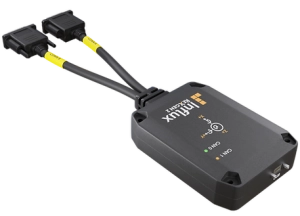
ReXgen2
How do I troubleshoot common issues with custom DBC files in Influx software?
When working with custom DBC files in Influx software, several common challenges may arise. Most issues stem from formatting inconsistencies or structural elements that don’t align with the software’s expectations. Addressing these problems systematically can save significant time and prevent data interpretation errors.
If signals aren’t displaying correctly or show unexpected values, first verify that your DBC file uses consistent syntax for defining message and signal parameters. Influx software follows industry-standard DBC conventions, but subtle variations in how multiplexed signals, enumerations, or extended frames are defined can cause interpretation issues.
Common troubleshooting steps include:
- Validating DBC syntax using a dedicated DBC editor before import
- Checking for duplicate message IDs across multiple DBC files
- Confirming that signal byte order (endianness) is correctly specified
- Verifying that scaling factors and offsets use appropriate decimal precision
- Ensuring signal names don’t contain unsupported special characters
If you’re experiencing system performance issues when using custom DBC files, consider the file’s complexity. Very large DBC files with thousands of signals can impact real-time decoding performance. In such cases, creating targeted DBC files with only the relevant signals for your specific test can improve system responsiveness.
For persistent issues, examining the Case study section provides valuable insights into how others have successfully implemented custom DBC solutions in similar testing environments.
Key takeaways about using Influx software with custom DBC files
The integration of custom DBC files with Influx software delivers significant advantages for professionals working with CAN bus systems. The software’s flexible architecture accommodates proprietary signal definitions whilst maintaining high-performance logging capabilities, making it suitable for specialised testing environments across multiple industries.
Key points to remember include:
- Influx software fully supports custom DBC files, allowing organisations to work with proprietary CAN definitions
- DBC files provide the essential translation layer that converts raw hexadecimal data into meaningful engineering values
- ReXgen 2 offers advanced capabilities including multi-context DBC support and conditional triggers based on custom signals
- Most troubleshooting issues relate to DBC formatting or structural consistency rather than software limitations
- The system maintains high performance even when processing complex custom DBC files
For testing professionals in vehicle development, marine systems, energy solutions, and defence applications, this compatibility offers crucial flexibility without sacrificing reliability or data fidelity. By supporting both standardised and custom CAN definitions, Influx software provides a versatile platform that adapts to specific organisational requirements whilst maintaining industry-standard capabilities.
Whether working with production vehicles or prototype systems, the ability to seamlessly integrate custom DBC files ensures that engineers can extract maximum value from CAN bus communications, enabling more efficient testing and more accurate analysis across the entire development lifecycle.