
What operating systems support CANtrace?
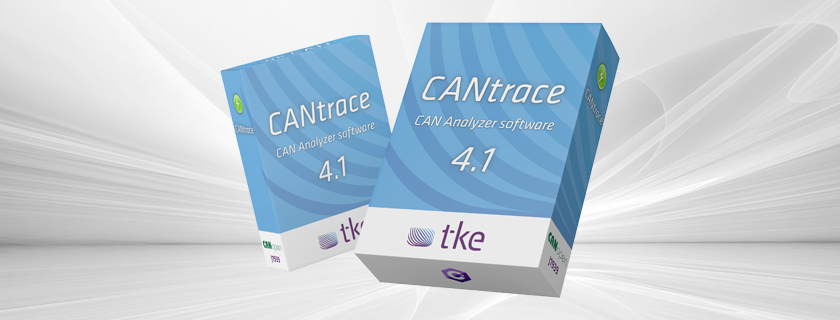
CANtrace software is officially supported on Windows operating systems, including Windows 10 and 11 (both 32-bit and 64-bit versions). This specialized CAN bus analysis tool is designed to work seamlessly with modern Windows environments, providing engineers and technicians with a reliable platform for CAN network diagnostics, monitoring, and troubleshooting. While primarily developed for Windows, the software requires minimal system resources, making it accessible for most modern computers used in industrial and engineering settings.
What is CANtrace and why is it important for CAN bus analysis?
CANtrace is a professional software tool designed specifically for Controller Area Network (CAN) bus analysis and diagnostics. It serves as a vital instrument for engineers and technicians working with CAN networks in various industrial applications. The software enables users to monitor, record, analyze, and interpret CAN bus traffic in real-time, providing essential insights into communication between electronic control units.
The importance of CANtrace in industrial settings cannot be overstated. CAN bus technology forms the backbone of communication systems in numerous sectors including Marine, Energy, Off-Highway Vehicles, and Defence. These industries rely on robust network diagnostics to ensure operational efficiency and system reliability.
CANtrace excels in capturing and interpreting complex CAN data streams, allowing engineers to:
- Identify communication errors and network bottlenecks
- Validate system designs during development phases
- Troubleshoot existing installations in the field
- Monitor network performance under various conditions
- Record and analyze data for preventative maintenance
With over two decades of expertise in CAN bus technology, our tools have been developed with a deep understanding of industrial requirements, ensuring that CANtrace delivers reliable and accurate analysis capabilities when they matter most.

Which operating systems are compatible with CANtrace software?
CANtrace is primarily designed to operate on Windows operating systems, with full compatibility for Windows 10 and Windows 11 in both 32-bit and 64-bit configurations. The software has been optimized for these platforms to ensure maximum stability and performance when analyzing CAN bus data.
Currently supported Windows versions include:
- Windows 10 (32-bit and 64-bit)
- Windows 11 (32-bit and 64-bit)
- Windows 7 and 8.1 (with limited support, not recommended for new installations)
The system requirements for CANtrace are relatively modest, making it accessible for most modern computers:
- Processor: 1.5 GHz or faster
- RAM: 4 GB minimum (8 GB recommended for optimal performance)
- Storage: 200 MB free disk space for installation
- Display resolution: 1366×768 or higher
- At least one USB port for Kvaser device connectivity
While CANtrace is not natively available for Linux, macOS, or other operating systems, it’s worth noting that Windows virtual machines running on these platforms may be used in some cases, though with potential limitations in hardware connectivity and performance. For the most reliable experience, we recommend using CANtrace on a dedicated Windows system.
How do you install and activate CANtrace licenses on different operating systems?
Installing and activating CANtrace on supported Windows systems follows a straightforward process designed to get you up and running quickly. The installation procedure is consistent across all supported Windows versions, though administrator privileges are required.
Basic installation steps:
- Download the latest CANtrace installer from the official website
- Run the installer with administrator privileges
- Follow the on-screen instructions, accepting the license agreement
- Choose your installation directory (default is recommended)
- Select whether to create desktop shortcuts
- Complete the installation and launch CANtrace
For license activation, CANtrace offers several options depending on your purchase type:
- Hardware key licensing: Simply connect the provided USB dongle before launching the software
- Software licensing: Enter your activation code when prompted during first launch
- Network licensing: Configure the software to connect to your license server
When updating your CANtrace license, the process varies slightly depending on your license type. For software licenses, updates can be applied through the Help menu’s license management section. Hardware key updates may require a utility application provided separately.
If you encounter installation issues, the most common solutions include ensuring your Windows system is up-to-date, temporarily disabling antivirus software during installation, and verifying you have proper administrator permissions. I would recommend checking out a Case study for real-world implementation examples if you’re facing persistent challenges.
What key features does CANtrace offer compared to other CAN analysis tools?
CANtrace stands out in the field of CAN bus analysis tools through its comprehensive feature set designed specifically for industrial applications. Unlike many generic network analyzers, CANtrace provides specialized functionality for Controller Area Network diagnostics.
Core features that differentiate CANtrace include:
- CAN FD support: Full compatibility with both traditional CAN and the newer, higher-bandwidth CAN FD protocol
- J1939 protocol decoding: Built-in support for the SAE J1939 protocol commonly used in heavy-duty vehicles and industrial equipment
- Advanced data logging: Configurable logging options with filtering capabilities to capture only relevant data
- Real-time visualization: Dynamic graphing and visualization tools for immediate data interpretation
- Kvaser device compatibility: Seamless integration with Kvaser hardware interfaces for reliable physical connectivity
- Customizable message databases: Support for importing custom DBC files to decode proprietary messages
When compared to alternatives like Vector’s CANalyzer, CANtrace offers a more focused approach with an emphasis on usability and essential functionality without unnecessary complexity. While Vector products often provide broader protocol support, CANtrace delivers the most commonly needed CAN analysis features in a more accessible package.
For evaluating CANtrace, a trial version is available with limitations on recording duration and some advanced features, allowing users to test compatibility with their specific Windows environment before committing to a full license.
Key takeaways about CANtrace operating system compatibility
Understanding CANtrace’s operating system compatibility is essential for organizations planning to implement this CAN bus analysis solution. The software’s Windows-centric design reflects its industrial focus and ensures reliability in professional environments.
Important points to remember about CANtrace compatibility include:
- Windows 10 and Windows 11 provide the optimal environment for CANtrace with full support for all features
- Both 32-bit and 64-bit Windows versions are supported, though 64-bit is recommended for better performance
- System requirements are modest, making CANtrace accessible on most modern computers
- The installation process is consistent across supported Windows versions
- License activation methods are flexible, accommodating different organizational needs
For organizations operating in mixed computing environments, it’s advisable to maintain at least one Windows-based workstation for CANtrace operations. This ensures reliable hardware connectivity, particularly with Kvaser CAN interfaces that form an integral part of the complete CAN analysis solution.
To stay current with the latest compatibility information and feature updates, we recommend periodically checking the official documentation. This becomes especially important when planning Windows operating system upgrades or when deploying CANtrace in enterprise environments with managed IT infrastructure.