Is CANtrace a good alternative to Vector tools?
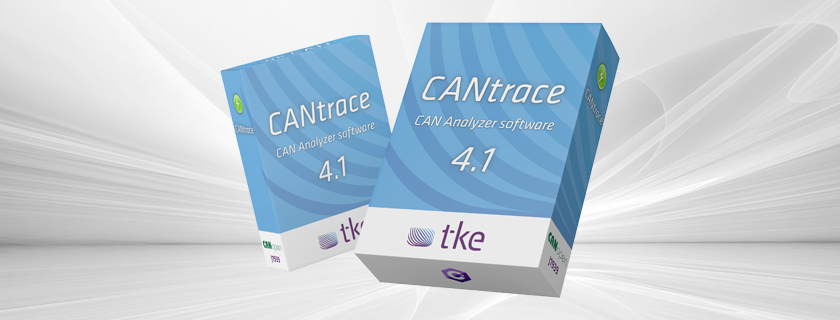
CANtrace is indeed a viable alternative to Vector tools for CAN bus analysis and monitoring. As a specialized software solution for Controller Area Network (CAN) systems, CANtrace offers comprehensive analysis capabilities, protocol decoding, and data logging features that compare favorably with Vector’s offerings. While Vector tools are widely recognized industry standards, CANtrace provides a cost-effective alternative with an emphasis on user-friendly operation and robust compatibility with hardware like Kvaser interfaces. The choice between them ultimately depends on specific project requirements, budget considerations, and existing hardware investments.
What is CANtrace and how does it compare to Vector tools?
CANtrace is a professional software tool designed specifically for CAN bus analysis, monitoring, and troubleshooting in various embedded system applications. It functions as a comprehensive solution for engineers working with CAN networks, offering real-time data visualization, message decoding, and advanced diagnostics capabilities.
Compared to Vector tools, which are often considered industry standards, CANtrace positions itself as a specialized alternative that focuses on providing essential CAN analysis functionality without unnecessary complexity. While Vector offers a broader ecosystem of automotive networking tools, CANtrace delivers a more targeted approach to CAN bus analysis with a focus on usability and accessibility.
The primary difference lies in their scope and scale: Vector provides an extensive suite of tools covering multiple automotive protocols, whereas CANtrace concentrates on delivering exceptional CAN bus functionality at a more accessible price point. Both solutions support core analysis features, but CANtrace often appeals to users seeking straightforward operation without sacrificing professional capabilities.
What features does CANtrace offer for CAN bus analysis?
CANtrace delivers a comprehensive set of features specifically optimized for professional CAN bus analysis. At its core, the software supports both standard CAN and CAN FD (Flexible Data-rate) protocols, allowing engineers to work with both traditional and higher-speed, larger-capacity CAN networks.
The software excels in protocol decoding, with built-in support for industry standards like J1939, commonly used in heavy-duty vehicles and industrial applications. This decoding capability transforms raw CAN data into human-readable information, greatly simplifying troubleshooting and development processes.
For data acquisition, CANtrace offers robust logging functionality that captures and stores CAN traffic for later analysis. Engineers can record extended sessions, apply filters to focus on specific message IDs, and export data in various formats for further processing or documentation.
Additional analysis features include:
- Real-time data visualization with customizable views
- Advanced filtering options to isolate specific messages
- Statistical analysis tools for network performance evaluation
- Automated testing capabilities for validation workflows
- Customizable triggers for capturing specific events
These capabilities make CANtrace particularly valuable for engineering teams working with CAN networks in sectors ranging from automotive to industrial automation, marine systems, and energy applications.

How does CANtrace licensing work?
CANtrace employs a straightforward licensing model designed to provide flexibility for different user requirements. The software typically offers a node-locked licensing approach, where licenses are tied to specific computers rather than floating across a network.
The activation process is user-friendly: after purchase, users receive a license key that activates the software through a simple online or offline procedure. This system ensures proper license management while minimizing implementation complexity.
CANtrace also offers a trial version that allows potential users to evaluate the software’s capabilities before purchase. This trial typically includes most core functionalities but may have limitations such as restricted session duration, disabled saving capabilities, or watermarked exports.
For license updates and maintenance, CANtrace provides a streamlined procedure for applying updates when new versions are released. This ensures users can access the latest features and improvements without complicated re-licensing processes.
Different license types are available to accommodate various needs:
- Single-user licenses for individual engineers
- Team licenses for engineering departments
- Educational licenses for academic institutions
- Time-limited project licenses for specific development cycles
This flexible approach to licensing makes CANtrace accessible for both individual engineers and larger organizations with diverse requirements.
What hardware is compatible with CANtrace?
CANtrace demonstrates excellent compatibility with a range of CAN interface hardware, with particularly strong support for Kvaser devices. This hardware partnership ensures reliable connectivity and optimal performance when monitoring CAN networks.
The Kvaser compatibility covers numerous interface options, including:
- Kvaser Leaf Light – a popular USB interface for standard CAN
- Kvaser Leaf Pro – offering advanced capabilities for professional users
- Kvaser Eagle – providing multi-channel CAN FD support
- Kvaser Memorator – with built-in logging capabilities
Beyond Kvaser, CANtrace also supports other industry-standard CAN interfaces, giving users flexibility in hardware selection based on their existing investments or specific project requirements.
When comparing to Vector’s hardware requirements, CANtrace often offers more flexibility. While Vector tools tend to work optimally with Vector’s own hardware, CANtrace’s broader compatibility can be advantageous for teams with existing hardware investments or specific interface preferences.
This hardware flexibility makes CANtrace particularly valuable for organizations seeking to maximize existing equipment investments whilst still accessing professional-grade analysis capabilities.
Why might CANtrace be a better choice than Vector tools for some applications?
CANtrace presents several compelling advantages over Vector tools for specific use cases and scenarios. One of the most significant benefits is the cost-effectiveness of CANtrace, which typically offers a lower total investment compared to equivalent Vector solutions, making it particularly attractive for smaller teams or projects with limited budgets.
For marine applications, CANtrace’s specialized support for maritime protocols and systems provides targeted functionality that may better address the unique requirements of vessel control systems and marine electronics.
In the energy sector, CANtrace’s straightforward approach to monitoring and analyzing CAN networks in power generation and distribution systems offers an accessible solution for maintenance teams and system integrators.
Off-highway vehicle manufacturers and service providers often find CANtrace’s J1939 protocol support particularly valuable, as this standard is prevalent in construction, agricultural, and specialised vehicle applications.
Defence contractors appreciate CANtrace’s focused toolset that delivers essential functionality without unnecessary complexity, supporting the reliable analysis of mission-critical CAN networks.
The streamlined user interface of CANtrace often results in faster adoption and reduced training requirements compared to more complex Vector environments, making it ideal for teams needing to become productive quickly.
We encourage you to explore our Case study section to see how various industries have successfully implemented CANtrace in their operations.
What should you consider when choosing between CANtrace and Vector tools?
When evaluating CANtrace against Vector tools, several key factors should guide your decision-making process. Start by thoroughly assessing your specific project requirements, particularly the protocols you need to support, the depth of analysis required, and any specialized industry functionality.
Budget considerations play a significant role, as CANtrace typically offers a more cost-effective solution compared to Vector’s premium pricing. Calculate the total cost of ownership, including initial purchase, maintenance, and potential upgrade paths.
Evaluate your existing hardware investments, as CANtrace’s compatibility with Kvaser and other interfaces may allow you to leverage current equipment rather than investing in new hardware.
Consider your team’s expertise and training requirements. CANtrace’s focused approach often results in a shorter learning curve, while Vector tools may require more extensive training but offer broader capabilities.
The scope of your analysis needs is crucial – if you require comprehensive multi-protocol support across various automotive networks, Vector might be more appropriate. However, if your focus is primarily on CAN bus systems, CANtrace likely provides all necessary functionality without unnecessary complexity.
Integration with existing workflows and tools should also factor into your decision, as compatibility with your current processes can significantly impact implementation success.
Finally, consider future scalability requirements. Assess whether your needs might expand beyond CAN analysis to other protocols or if your current requirements will remain stable. This forward-looking perspective ensures your chosen solution can grow with your organization’s needs.