
How do I install Kvaser drivers on Windows and Linux?
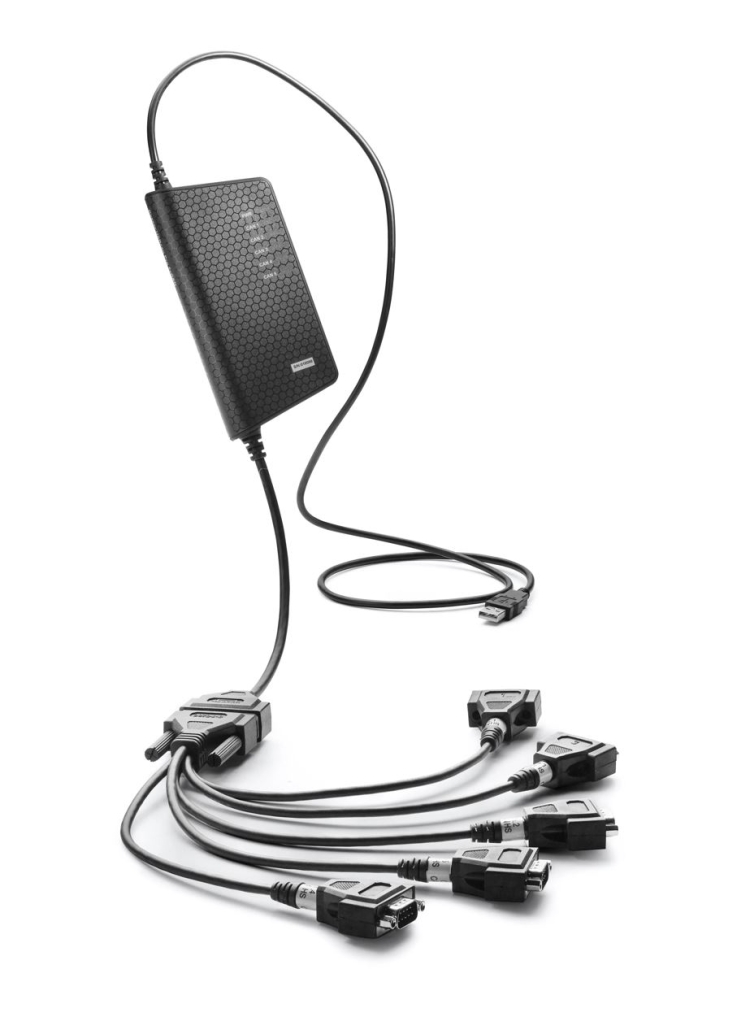
Installing Kvaser drivers on Windows and Linux involves downloading the appropriate driver package, following system-specific installation procedures, and verifying proper hardware detection. For Windows, this means installing the CANlib SDK package from Kvaser’s website, while Linux users must compile the drivers from source code and configure udev rules. The process requires administrator privileges on both platforms and typically takes 10-15 minutes to complete. Successful installation enables communication with Kvaser CAN interfaces, allowing developers and engineers to interact with CAN networks for automotive, industrial, and embedded system applications.
Understanding Kvaser interfaces and CAN bus technology
Kvaser interfaces are specialized hardware devices that enable computers to communicate with CAN (Controller Area Network) bus systems. These interfaces act as bridges between standard computer ports (USB, PCIe, Ethernet) and the CAN bus protocol widely used in automotive, industrial, and embedded systems.
The CAN bus technology was initially developed by Bosch in the 1980s as a robust communication protocol for automotive applications. It features a multi-master serial bus system where all nodes can transmit and receive messages without a host computer. This distributed control approach provides excellent fault tolerance and real-time capabilities.
Kvaser offers a comprehensive range of CAN interfaces including:
- USB interfaces (Leaf, USBcan)
- PCIe cards (PCIEcan)
- Ethernet interfaces (Ethercan)
- Dataloggers and specialized interfaces
These interfaces support various CAN standards including Classical CAN, CAN FD (Flexible Data-rate), and in some cases, LIN (Local Interconnect Network). Their applications span automotive diagnostics, industrial machine communication, embedded system development, and educational/research environments where CAN bus analysis is required.
How do I install Kvaser drivers on Windows?
Installing Kvaser drivers on Windows requires downloading the CANlib SDK package, running the installer with administrator privileges, and connecting your Kvaser hardware. The entire process typically takes under 10 minutes for a standard installation.
Follow these steps to install Kvaser drivers on Windows:
- Visit the official Kvaser website (www.kvaser.com) and navigate to the download section
- Download the latest CANlib SDK package for Windows
- Close any applications that might be using CAN interfaces
- Right-click the downloaded installer and select “Run as administrator”
- Follow the on-screen prompts in the installation wizard
- When prompted, connect your Kvaser interface to an available USB, PCIe, or Ethernet port
- Complete the installation and restart your computer if requested
After installation, verify the drivers are properly installed by checking Windows Device Manager. Expand the “Kvaser CAN” category – your device should appear without warning symbols. For USB devices, you should see a confirmation sound when plugging in the hardware.
The CANlib SDK installation includes drivers for all Kvaser interfaces along with programming APIs, example code, and utility applications that help you get started with CAN communication.
How do I install Kvaser drivers on Linux?
Installing Kvaser drivers on Linux involves downloading the source code, compiling the drivers for your kernel, and setting up udev rules for proper device access. The process is more technical than Windows installation but provides robust support across various Linux distributions.
Before beginning installation, ensure you have the following prerequisites:
- Linux kernel headers package installed
- GCC and make utilities
- Git (optional, for downloading from repository)
- Root or sudo access
Here’s the step-by-step installation process:
- Download the latest Linux driver package from Kvaser’s website or GitHub repository
- Extract the package:
tar -xzf kvaser-linux-drivers-x.y.z.tar.gz - Navigate to the extracted directory:
cd kvaser-linux-drivers-x.y.z - Run the make command to compile the drivers:
make - Install the compiled drivers:
sudo make install - Set up udev rules to allow non-root access to Kvaser devices:
- Copy the provided udev rules file:
sudo cp 10-kvaser.rules /etc/udev/rules.d/ - Reload udev rules:
sudo udevadm control --reload-rules
- Copy the provided udev rules file:
- Load the driver modules:
sudo modprobe kvaser_usb(for USB interfaces)
After installation, connect your Kvaser interface and verify it’s recognized using the command ls -l /dev/kvaser* which should list your device. The installation also includes the Linux versions of Kvaser’s API libraries that can be integrated into your applications.
What software tools are available with Kvaser drivers?
Kvaser drivers include a comprehensive suite of software tools and programming interfaces that enable CAN bus monitoring, analysis, and development. These tools support various programming languages and provide both beginner-friendly interfaces and advanced development capabilities.
The key software components included with Kvaser drivers are:
- Kvaser CANking – A graphical application for sending and receiving CAN messages, monitoring bus traffic, and basic troubleshooting
- CANlib SDK – A comprehensive software development kit including:
- C/C++ API for direct CAN communication
- Python bindings (CanLib for Python)
- LabVIEW support via dedicated VIs
- .NET libraries for C# and Visual Basic development
- J2534 pass-through drivers for automotive diagnostics
- Kvaser Database Editor – For creating and editing CAN database files (KVD format)
- Kvaser Memorator Tools – For configuring Kvaser’s datalogger products
- Command-line utilities for scripting and automation
These tools enable developers to perform essential CAN bus operations like message transmission, reception, filtering, and logging. The programming APIs provide functions for opening CAN channels, setting bus parameters, handling messages, and implementing event-driven communication flows.
For Linux users, the canlib utilities provide similar functionality via command-line interfaces, making them suitable for headless systems and server environments where graphical tools aren’t required.
How do I troubleshoot common Kvaser driver installation issues?
When encountering problems with Kvaser driver installation, systematic troubleshooting helps identify and resolve issues quickly. Most problems stem from driver conflicts, hardware connectivity, or system permission issues.
Here are solutions for common installation problems:
- Device not detected in Windows:
- Check physical connections and try different USB ports
- Verify Device Manager for unknown devices or error symbols
- Uninstall and reinstall drivers through the CANlib installer
- Try disabling antivirus temporarily during installation
- Compilation errors on Linux:
- Ensure kernel headers match your running kernel version
- Install build-essential package or distribution equivalent
- Check for error messages indicating missing dependencies
- Try the pre-compiled packages if available for your distribution
- Permission issues on Linux:
- Verify udev rules are properly installed in /etc/udev/rules.d/
- Ensure your user belongs to the correct group (typically “dialout”)
- Check file permissions on /dev/kvaser* devices
- Software conflicts:
- Remove other CAN interface drivers that might conflict
- Check for older versions of Kvaser drivers and remove them
- Restart your system after uninstalling conflicting software
Kvaser provides diagnostic tools that can help identify issues. On Windows, the “Kvaser Hardware” utility in the Start menu provides detailed information about connected devices and driver versions. On Linux, the kvdevinfo command-line tool serves a similar purpose.
If problems persist, check Kvaser’s knowledge base and forums for specific error messages, as many common issues have documented solutions.
Key takeaways for successful Kvaser driver implementation
Successfully implementing Kvaser drivers requires following best practices for installation, configuration, and maintenance. Understanding these key principles ensures reliable CAN communication for your applications.
The most important practices for Kvaser driver implementation include:
- Keep drivers updated to access the latest features and bug fixes. Kvaser regularly releases driver updates that improve stability and performance.
- Install only the components you need. The modular nature of Kvaser’s software allows for minimal installations when full SDK functionality isn’t required.
- Consider hardware-software compatibility when selecting interfaces. Ensure your chosen Kvaser hardware supports your required CAN protocols (Classical CAN, CAN FD).
- Document your installation configuration for future reference, including driver versions and system specifications.
- Test your setup thoroughly after installation using basic tools like CANking before implementing complex applications.
- For production environments, create standardized installation procedures to ensure consistency across multiple systems.
Understanding your specific application requirements helps determine the appropriate Kvaser hardware and software configuration. Whether you’re developing automotive diagnostics, industrial control systems, or embedded applications, properly installed Kvaser drivers provide a solid foundation for reliable CAN communication.
To explore the full range of Kvaser products suitable for your specific needs, we invite you to browse our Kvaser product offerings. Additionally, for real-world implementation examples, review our Case study section to gain insights from successful deployments.