Does CANtrace support CAN FD protocols?
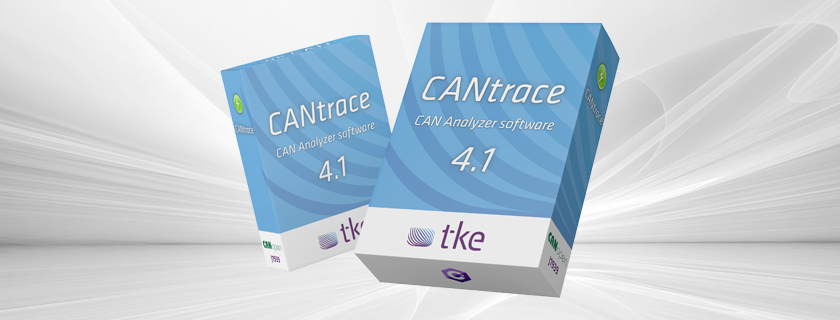
Yes, CANtrace fully supports CAN FD (Flexible Data-rate) protocols, enabling users to analyze and decode high-bandwidth CAN FD traffic alongside standard CAN communications. This professional CAN bus analyzer tool handles the increased data rates and extended frame formats of CAN FD, making it suitable for modern automotive and industrial applications that require higher transmission speeds and larger data payloads. CANtrace provides comprehensive monitoring, filtering, and logging capabilities for both traditional CAN and CAN FD networks.
What is CANtrace and how does it fit into CAN bus technology?
CANtrace is a professional CAN bus analyzer software developed by TK Engineering that provides comprehensive tools for monitoring, analyzing, and troubleshooting CAN bus networks. It serves as an essential diagnostic interface between complex CAN communication systems and engineers working with industrial automation.
The software fits seamlessly into the CAN bus technology ecosystem by offering real-time monitoring capabilities for CAN networks commonly found in automotive systems, industrial machinery, marine applications, and energy systems. CANtrace acts as both a passive observer and an active participant in CAN networks, allowing users to capture, decode, and interpret CAN messages.
At its core, CANtrace helps engineers understand what’s happening on their CAN networks by translating binary data into human-readable format. This visibility is crucial for diagnosing communication issues, developing new systems, or integrating components that use the CAN protocol for data exchange.
Does CANtrace support CAN FD protocols?
Yes, CANtrace fully supports CAN FD protocols with all their enhanced capabilities. The software is designed to handle both traditional CAN and the newer CAN FD standard, making it versatile for modern industrial applications requiring higher bandwidth communication.
CAN FD (Flexible Data-rate) extends traditional CAN by offering significantly faster data transmission speeds—up to 8 Mbps compared to the standard 1 Mbps—and larger data payloads of up to 64 bytes per frame instead of the traditional 8 bytes. CANtrace manages these extended capabilities by providing:
- Complete decoding of CAN FD frames with their longer data fields
- Support for the two-phase bit rate switching that CAN FD employs
- Visualization tools specifically designed for the larger data payloads
- Filtering mechanisms that account for CAN FD’s unique frame structure
The software seamlessly handles mixed networks where both traditional CAN and CAN FD messages coexist, providing a unified interface for engineers working with evolving systems that incorporate both protocols.

Kvaser Mini PCIe 1xCAN FD over USB
What features make CANtrace stand out for CAN analysis?
CANtrace distinguishes itself through several advanced features that make it particularly valuable for comprehensive CAN bus analysis. Beyond basic message monitoring, it offers specialized capabilities that address real-world engineering needs.
The software includes robust J1939 protocol decoding, which is essential for heavy-duty vehicle applications. This allows engineers to interpret the standardized communication framework used in trucks, buses, and off-highway equipment without needing to manually translate raw CAN data.
CANtrace’s data logging capabilities are exceptionally comprehensive, allowing for:
- Long-term recording of CAN traffic for later analysis
- Configurable trigger conditions to capture specific events
- Timestamp precision that helps correlate CAN events with system behaviors
- Export options for further processing in other analytical tools
The real-time monitoring interface offers customizable views that can be arranged according to user preferences, while advanced filtering options allow engineers to focus on relevant messages in busy networks. These features collectively create a powerful toolset for diagnosing intermittent issues that might otherwise be difficult to identify.
How do you activate or update a CANtrace license?
Activating or updating a CANtrace license follows a straightforward process designed to get users operational quickly. The software employs a flexible licensing system that accommodates different user needs and deployment scenarios.
For new license activation, users typically follow these steps:
- Download and install the CANtrace software from the official website
- Launch the application and select the “Activate License” option
- Enter the license key provided at purchase
- Complete the activation process, which may require an internet connection for online verification
CANtrace offers both perpetual licenses for long-term users and subscription options for those with temporary project needs. License management across multiple workstations is supported through floating license options that allow sharing of licenses within an organization.
For updates, the process typically involves accessing the license management section within the software and using the update function with your existing credentials. We recommend checking for updates regularly to ensure you have access to the latest features and protocol support.
Is CANtrace compatible with Kvaser hardware devices?
Yes, CANtrace offers excellent compatibility with Kvaser hardware devices, making it a versatile choice for engineers who use these popular CAN interfaces. This partnership ensures reliable performance across various industrial applications.
CANtrace supports a wide range of Kvaser CAN interfaces, including:
- Kvaser Leaf Light v2
- Kvaser USBcan Professional
- Kvaser Memorator Pro series
- Kvaser Eagle series
The integration is designed to be plug-and-play, with CANtrace automatically detecting connected Kvaser hardware upon startup. For optimal performance, users should ensure they have the latest Kvaser drivers installed before connecting hardware to their system.
Configuration within CANtrace is straightforward, with hardware-specific settings accessible through the interface. This includes bitrate configuration, termination settings, and channel mapping for multi-channel devices. The software leverages Kvaser’s reliable hardware design to provide stable connections even in challenging industrial environments.
How does CANtrace compare to other CAN analysis tools like Vector?
When compared to industry-standard tools like Vector’s CANalyzer, CANtrace offers a balanced alternative with distinct advantages for certain users and applications. Understanding these differences helps engineers select the right tool for their specific needs.
In terms of functionality, CANtrace provides comprehensive CAN and CAN FD analysis capabilities similar to those found in Vector products, but with an interface often described as more approachable for new users. Vector’s tools typically offer a broader ecosystem integration but come with a steeper learning curve.
The pricing structure represents a significant difference, with CANtrace generally offering more cost-effective solutions, especially for smaller teams or companies. Vector’s enterprise-focused licensing model can be prohibitive for individual engineers or smaller organizations.
CANtrace excels in specific industrial applications, particularly those requiring J1939 protocol analysis, while Vector’s suite may offer more specialized automotive-specific protocols. For many engineers, the decision comes down to the specific protocols they work with most frequently and budget considerations.
I recommend exploring Case study examples to see how different tools perform in real-world applications.
Key takeaways about CANtrace and its CAN FD capabilities
CANtrace stands as a powerful solution for engineers working with both traditional CAN and modern CAN FD networks. Its comprehensive support for the extended capabilities of CAN FD makes it particularly valuable for next-generation system development and troubleshooting.
The software’s licensing flexibility accommodates various organizational needs, from individual engineers to large development teams. This scalability ensures that companies can adjust their tooling investment as projects evolve or teams expand.
CANtrace’s compatibility with industry-standard hardware like Kvaser interfaces ensures that users can leverage existing equipment investments while benefiting from advanced analysis capabilities. This hardware-agnostic approach provides freedom to select the most appropriate physical interfaces for specific applications.
For engineers evaluating CAN analysis tools, CANtrace offers an appealing balance of comprehensive functionality, user-friendly interface, and reasonable cost structure. Its specialized features for industrial protocols like J1939 make it particularly well-suited for heavy equipment, marine, and energy applications where these standards predominate.