What is the trial period for CANtrace software?
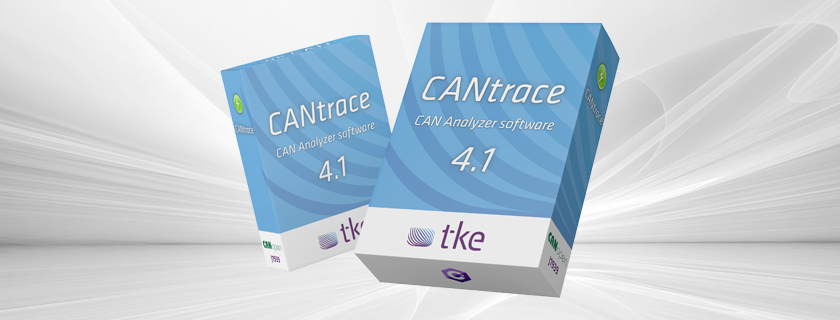
CANtrace software offers a 14-day free trial period that provides full access to its comprehensive CAN bus analysis capabilities. During this trial, users can explore all core functionalities including data logging, real-time monitoring, and protocol decoding without feature limitations. To start the trial, simply download the software from the official website and request a trial license key via the registration form. This allows engineers and technicians to thoroughly evaluate how CANtrace meets their specific CAN network analysis needs before committing to a purchase.
Understanding CANtrace software and its applications
CANtrace is a powerful and versatile software tool designed specifically for CAN bus analysis and diagnostics. As a specialised solution for engineers and technicians working with Controller Area Networks (CAN), it provides essential capabilities for monitoring, logging, and troubleshooting communication in complex systems.
At its core, CANtrace offers real-time monitoring of CAN traffic, allowing users to observe and capture data exchanges between electronic control units. The software excels in data logging functionality, enabling the recording of CAN messages for detailed offline analysis and historical reference. This proves invaluable for diagnosing intermittent issues or verifying system performance over time.
One of CANtrace’s standout features is its comprehensive protocol decoding capabilities. The software can interpret raw CAN data and translate it into meaningful information, supporting both standard CAN as well as more advanced protocols. This makes it an indispensable tool for development, testing, and maintenance across various industries including automotive, marine, industrial automation, and energy sectors.
With over 20 years of expertise in CAN bus technology, the developers have created a solution that balances technical depth with usability, making advanced diagnostics accessible to users with varying levels of expertise.
What is the trial period for CANtrace software?
The CANtrace software trial period extends for 14 days, offering users complete access to evaluate the full suite of CAN bus analysis capabilities. This trial version includes all core functionalities without artificial limitations, allowing engineers to properly assess how the software performs in their specific working environment.
To begin the trial, users need to download the software from the official website and complete a simple registration form to receive a temporary license key. The activation process is straightforward – after installation, enter the provided license key in the software’s license manager to unlock the trial period. No credit card information is required to start the evaluation.
During the trial, users can access:
- Complete data logging capabilities
- Full protocol decoding functionality
- Real-time CAN bus monitoring
- Data analysis and visualization tools
- Configuration options for various CAN interfaces
The only limitation during the trial period is a small watermark that appears on exported reports, but this doesn’t restrict functionality. Technical support is also available during the trial, ensuring users can maximise their evaluation experience. For specific requirements or extension requests, the support team can be contacted directly through the website.
How does CANtrace support CAN FD and J1939 protocols?
CANtrace offers comprehensive support for both CAN FD and J1939 protocols, providing engineers with advanced capabilities for modern CAN systems analysis. For CAN FD (Flexible Data-rate), the software handles the increased data rates and payload sizes seamlessly, allowing monitoring and analysis of networks operating at up to 8 Mbps with expanded frame sizes of up to 64 bytes.
The J1939 protocol support is particularly valuable for those working with heavy-duty vehicles and industrial equipment. CANtrace automatically decodes J1939 messages, translating the Parameter Group Numbers (PGNs) and Suspect Parameter Numbers (SPNs) into readable information. This eliminates the need for manual interpretation of complex hex data, significantly accelerating diagnostics and development cycles.
Beyond these protocols, CANtrace also supports:
- Standard CAN 2.0A and 2.0B frames
- CANopen protocol decoding
- Custom protocol configurations
- Multi-channel synchronised analysis
The software’s architecture allows for protocol updates and extensions, ensuring compatibility with evolving industry standards. This adaptability makes CANtrace particularly valuable in research and development environments where working with cutting-edge protocols is essential. I recommend checking out our Case study section to see how these capabilities have been applied in real-world scenarios.
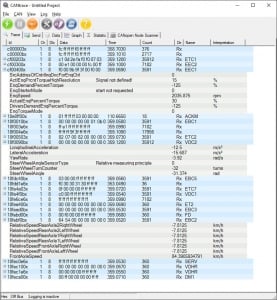
CAN bus Analyzer software
What hardware is compatible with CANtrace software?
CANtrace software is designed to work seamlessly with a wide range of CAN interface hardware, with Kvaser devices being the primary supported platform. The software fully supports the entire Kvaser product line, including Leaf Light, Leaf Professional, Memorator, and USBcan Pro interfaces, making it adaptable to various testing and analysis scenarios.
Beyond Kvaser, CANtrace also offers compatibility with:
- PEAK-System PCAN-USB adapters
- Vector CAN interfaces (with appropriate drivers)
- Selected Intrepid Control Systems hardware
- Custom hardware through specialized driver implementations
For optimal performance, the recommended system requirements include:
- Windows 10/11 operating system (64-bit)
- 8 GB RAM minimum (16 GB recommended for larger datasets)
- Intel Core i5 processor or equivalent (i7 recommended for high-speed CAN FD analysis)
- 500 MB available hard disk space for installation
- USB 2.0 port minimum (USB 3.0 recommended for high-bandwidth applications)
When selecting hardware, consider your specific analysis needs. For basic CAN monitoring, entry-level Kvaser interfaces are sufficient. For high-speed CAN FD applications or multi-channel analysis, professional-grade interfaces with higher bandwidth capabilities are recommended. The software’s hardware configuration utility simplifies the setup process, automatically detecting connected devices and facilitating quick configuration.
How do you activate a full CANtrace license after the trial?
Activating a full CANtrace license after your trial period is a straightforward process that can be completed in just a few minutes. Once you’ve decided to purchase, contact the sales team through the website’s contact form or direct email to discuss your specific licensing requirements and receive a quotation.
After purchase, you’ll receive a permanent license key via email. To activate this license:
- Open CANtrace software on your system
- Navigate to the ‘Help’ menu and select ‘License Manager’
- Enter your new license key in the provided field
- Click ‘Activate License’ to validate and register your software
- Restart the application to apply the new license
CANtrace offers two primary licensing models:
- Perpetual licenses – one-time purchase with optional annual maintenance for updates
- Subscription licenses – annual payment with all updates included
Both license types include technical support via email and telephone. Volume discounts are available for multiple licenses, and educational institutions can access special pricing programs. The software also offers floating license options for teams that need to share access across multiple users without purchasing individual licenses for each workstation.
For organizations with specific requirements, custom licensing arrangements can be discussed with the sales team to find the most cost-effective solution for your needs.
Key takeaways about CANtrace software and trial options
CANtrace stands out as a professional-grade solution for CAN bus analysis, offering a comprehensive feature set that addresses the needs of engineers working with modern vehicle and industrial networks. The 14-day trial period provides ample time to evaluate the software’s capabilities in your specific environment without functional limitations.
Key advantages of CANtrace include:
- Intuitive interface balancing technical depth with accessibility
- Comprehensive protocol support including CAN FD and J1939
- Flexible hardware compatibility centered around industry-standard Kvaser devices
- Powerful data logging and analysis capabilities
- Straightforward licensing process with multiple options
The trial period allows you to verify that CANtrace meets your specific requirements before investment, making it a risk-free way to assess the software’s value for your projects. Whether you’re developing new CAN-based systems, troubleshooting existing networks, or conducting research, CANtrace provides the tools needed for efficient and effective work.
For specific questions about CANtrace capabilities or to discuss your particular use case, we encourage you to reach out directly to our technical team. With decades of experience in CAN bus technology, they can provide insights into how best to leverage CANtrace for your unique challenges.